How to use flight alerts for savings?
How to Use Flight Alerts to Save Thousands: The 2025 Strategic Guide
Stop refreshing pages. Automate your savings with the ultimate “Set and Forget” ecosystem.
I still remember the first time I sat in an airport lounge, overhearing a couple celebrate their round-trip tickets to Tokyo. They had paid $450. I had paid $1,200 for the exact same route, on the exact same plane, just three rows behind them. The difference? I booked when I felt like it. They booked when an algorithm told them to.
The average traveler overspends by roughly $350 per ticket simply because they try to time the market manually. In 2025, relying on luck or memory is a financial mistake. Flight alerts don’t just tell you current prices—they act as a futures market for your wallet.
If you are tired of playing the refreshing game and want to master dynamic pricing algorithms, this guide is your definitive resource. We’re going to move you from “searching” to “strategizing.”
The Mechanics of Flight Pricing (Why Alerts Work)
To use flight alerts effectively, you first have to understand the beast you are taming. Airline pricing is not static. It is a highly volatile environment governed by dynamic pricing algorithms that change fares based on demand, fuel costs, and even competitor movements.
According to Hopper’s 2024 Travel Outlook, price disruption and volatility remain 30% higher than in 2019. This means prices bounce more frequently, creating brief windows of opportunity that manual searching will almost certainly miss.
Dynamic Pricing vs. Inventory Dumping
Airlines use sophisticated AI to maximize revenue per seat. However, they also face the pressure of “perishable inventory.” Once a flight takes off, an empty seat is worth $0. When algorithms predict a flight will depart with empty seats, they may “dump” inventory at a lower class code to stimulate demand. This is where your flight price tracker earns its keep.
But there is another phenomenon that offers even deeper savings: the Mistake Fare.
The “Mistake Fare” Phenomenon
Sometimes, a human enters the wrong currency conversion, or a fuel surcharge is accidentally omitted from a route. These are known as “Mistake Fares” or “Error Fares.” They can result in 90% off standard prices—like a $200 roundtrip to Europe.
Clint Henderson, Managing Editor at The Points Guy
Because these fares can disappear in minutes (or as soon as the airline realizes the error), you cannot catch them without an automated alert system. Speed is the only currency that matters here.
Setting Up Your Defense: Top Free & Paid Alert Tools
In my experience testing dozens of tools, I’ve found that no single app does it all. You need a “tech stack” for travel. Here is the 2025 setup used by professional travel hackers.
1. Mastering Google Flights (The Essential Free Tool)
Google Flights is the most powerful free search engine because it pulls data directly from the ITA Matrix (the software that powers most airline pricing). However, most people use it wrong. They search once and leave.
The Strategy: Do not just search for a flight. You must activate the tracking toggle.
- Step 1: Enter your origin and destination.
- Step 2: Select “Any dates” if you are flexible, or specific dates if you aren’t.
- Step 3: Click the “Track prices” toggle. It will turn blue.
- Step 4: Check your email. Google will now email you every time that route changes price by more than a few dollars.
What makes Google Flights superior for domestic travel is its integration with historical data. It will explicitly tell you, “Prices are currently low—$150 cheaper than usual.”
2. Predictive Apps: Hopper and Skyscanner
While Google tracks current prices, apps like Hopper try to predict the future. They utilize historical archives to advise you on whether to buy now or wait.
Timing matters. According to Expedia’s Air Travel Hacks Report 2024, travelers who book airfare on Sundays save on average up to 13%. Combining this knowledge with a predictive app alert gives you a statistical edge.
3. The “Done-For-You” Services
If you don’t have a specific destination in mind and just want to travel where it’s cheap, you need a subscription service. These services employ human teams to scour the web for mistake fares and flash sales.
| Service | Best For | Cost (Approx) | My Verdict |
|---|---|---|---|
| Going (formerly Scott’s) | International economy & premium deals | Free / $49yr / $199yr | The gold standard for US-based travelers. Excellent curation. |
| Dollar Flight Club | Budget travelers & app lovers | Free / $69yr | Great mobile app, but can be notification-heavy. |
| Thrifty Traveler | Points & Miles enthusiasts | $90/yr | Best if you want to use credit card points for alerts. |
Advanced Strategy: Beyond Basic Date Tracking
Most travelers track “NYC to London” for “July 1-10.” This is the amateur approach. To save thousands, you need to widen your net using what I call the “Anywhere Strategy.”
The “Anywhere” Strategy (Reverse Engineering Deals)
Instead of letting the destination dictate the price, let the price dictate the destination. Google Flights Explore allows you to leave the destination box blank or type “Europe.”
How to execute: Set an alert for “New York to Europe” for “2 weeks in October.” You might find that while London is $900, Milan is $450. You fly to Milan, take a $50 train or budget flight to London, and save $400 per person.
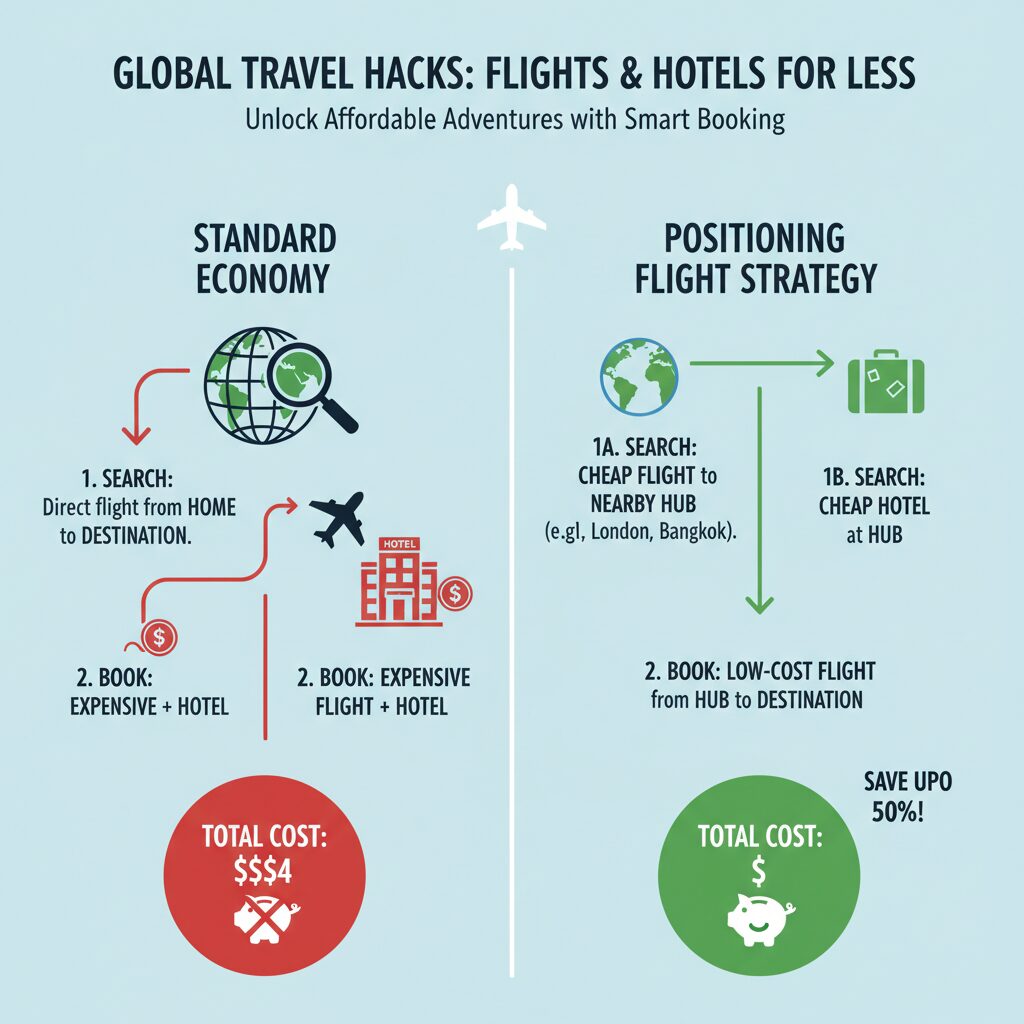
Tracking “Positioning Flights”
If you live in a smaller city like Indianapolis or Austin, international alerts often suck. The algorithm struggles to find deals from non-hub airports.
The fix? Set flight alerts from major hubs: JFK, LAX, ORD, MIA.
If you see a $300 roundtrip from JFK to Paris, you can buy a separate $150 ticket from your home airport to JFK. This is called a “positioning flight.” Just be careful with baggage fees.
Setting Alerts for Business Class Glitches
Many people assume business class is out of reach. However, business class pricing is often more volatile than economy. I recommend using tools like Roame.travel or PointsYeah if you are sitting on a pile of credit card points. These tools alert you when “Saver” award space opens up, allowing you to book a $4,000 seat for just 60,000 points and $50 in taxes.
The Psychology of Booking: When to Pull the Trigger
The biggest problem with flight alerts isn’t receiving them; it’s the paralysis of analysis. “What if it gets cheaper tomorrow?”
Hayley Berg, Lead Economist at Hopper
The 24-Hour Rule (Book Now, Think Later)
This is the most critical regulation for US travelers. The US Department of Transportation (DOT) requires airlines to allow you to cancel a booking within 24 hours for a full refund (provided the flight is booked at least 7 days in advance).
When an alert hits your phone, do not text your spouse. Do not check your calendar. Book it. You have 24 hours to figure out the logistics. If you can’t go, you cancel for free. If you wait 2 hours to discuss it, the mistake fare will likely be gone.
The “Goldilocks Window”
You need to set your alerts during the prime booking window. If you start tracking too early, the data is noise. Too late, and the prices are premium.
Katy Nastro, Travel Expert at Going.com
This is your “Goldilocks Window.” Before this window, airlines set prices artificially high to capture early bird business travelers. After this window, prices rise as supply dwindles.
Dispelling the “Incognito Mode” Myth
Let’s kill this myth once and for all. Clearing your cookies or using Incognito mode does not lower flight prices. Airlines use sophisticated server-side pricing based on aggregate demand, not your individual browser history.
If you see a price jump after refreshing, it’s usually because the lower fare class (e.g., “Economy L”) sold out, and the system bumped you to the next bucket (“Economy M”). It’s not personal; it’s inventory management.
Case Studies: Real Savings from Alerts
Example 1: The $230 Flight to Europe
Last November, subscribers to flight alert services saw a massive drop in fares to Amsterdam from the East Coast. It was a “Black Friday” competitive response between three major carriers. The fare dropped to $230 roundtrip. Those who had Google Flight alerts set for “NYC to Europe” were notified instantly at 9:00 AM. By 1:00 PM, the fares were back to $700. The savings? $470 per ticket.
Example 2: The Flexible Family Vacation
A family of four wanted to go to the Caribbean. Instead of picking a specific island, they used the “Explore” feature and tracked prices for “Caribbean” for April. An alert popped up for Puerto Rico at $180 per person (down from $450). Because they were flexible on the where, they saved $1,080 total—enough to pay for their entire hotel stay.
According to IATA’s January 2024 Passenger Data, international traffic rose 16.6%. As demand surges, finding these dips via automated alerts is becoming the only way to travel affordably.
FAQ: Troubleshooting Your Flight Alerts
How do I stop flight alerts from spamming my inbox?
This is a common issue. I recommend creating a dedicated email label (or even a separate email address) for travel. In Gmail, you can set a filter so that any email from “Google Flights” or “Going” skips the inbox and goes to a folder named “Deals.” This keeps your sanity intact while ensuring you have a repository of deals to check daily.
Are paid flight alert services worth the money?
If you fly internationally at least once a year, yes. One mistake fare saves you $500+, which covers the $49 subscription fee for ten years. However, if you only fly domestic routes like Chicago to Detroit to visit family, the free version of Google Flights is sufficient.
Why do I see a cheap price on the alert, but it’s gone when I click?
These are often called “Phantom Fares.” The cache on the search engine hasn’t updated to reflect that the seat was just sold. Additionally, Amex GBT’s Air Monitor 2024 notes that while fares are stabilizing, real-time inventory changes happen in milliseconds. If the price is gone, move on immediately—it won’t come back in five minutes.
Conclusion: The “Set and Forget” Ecosystem
The days of spending your Sunday afternoon with twenty browser tabs open are over. By leveraging the technology available in 2025, you shift the workload from your brain to the cloud.
To recap your strategy:
- Use Google Flights for specific dates and route tracking.
- Use Going or Dollar Flight Club for inspiration and mistake fares.
- Book immediately when you see a price drop, leveraging the 24-hour cancellation rule.
- Ignore the incognito myth and focus on the Goldilocks Window.
Travel shouldn’t be a luxury reserved for the wealthy; it should be a reward for the strategic. Set your alerts today, close the laptop, and let the deals come to you.

Related Posts
How to find cheap flights fast?

Best flight search sites revealed?