Best travel apps to simplify planning?
12 Best Travel Apps to Simplify Planning in 2025 (Expert Tested)
The days of printing thick stacks of confirmation emails are finally over. In 2025, the smartphone isn’t just a communication device; it is the command center of your journey. According to recent data from Hotelagio, mobile devices accounted for 70.5% of global online travel traffic in 2024. But this convenience comes with a catch: noise.
Last year alone, global travel app downloads reached a staggering 4.2 billion, a 3% increase year-over-year according to Sensor Tower’s State of Mobile Travel 2025 Report. With that many options, how do you distinguish between a glossy marketing tool and a genuine utility that keeps you safe and organized?
I’ve spent years living out of a suitcase, and I’ve deleted more travel apps than I’ve kept. The shift in 2025 isn’t just about booking flights; it’s about AI integration and offline capability.
of travelers are explicitly interested in using AI to curate trips and create itineraries in 2025.
Source: Booking.com Travel Predictions 2025
This guide cuts through the clutter. We aren’t listing booking sites like Expedia or Skyscanner here. Instead, we are focusing on the logistics tools—the apps that handle the “how” and “when” of your trip. Whether you are a solo adventurer or planning a “frolleagues” (friends + colleagues) getaway, here is your definitive tech stack for 2025.
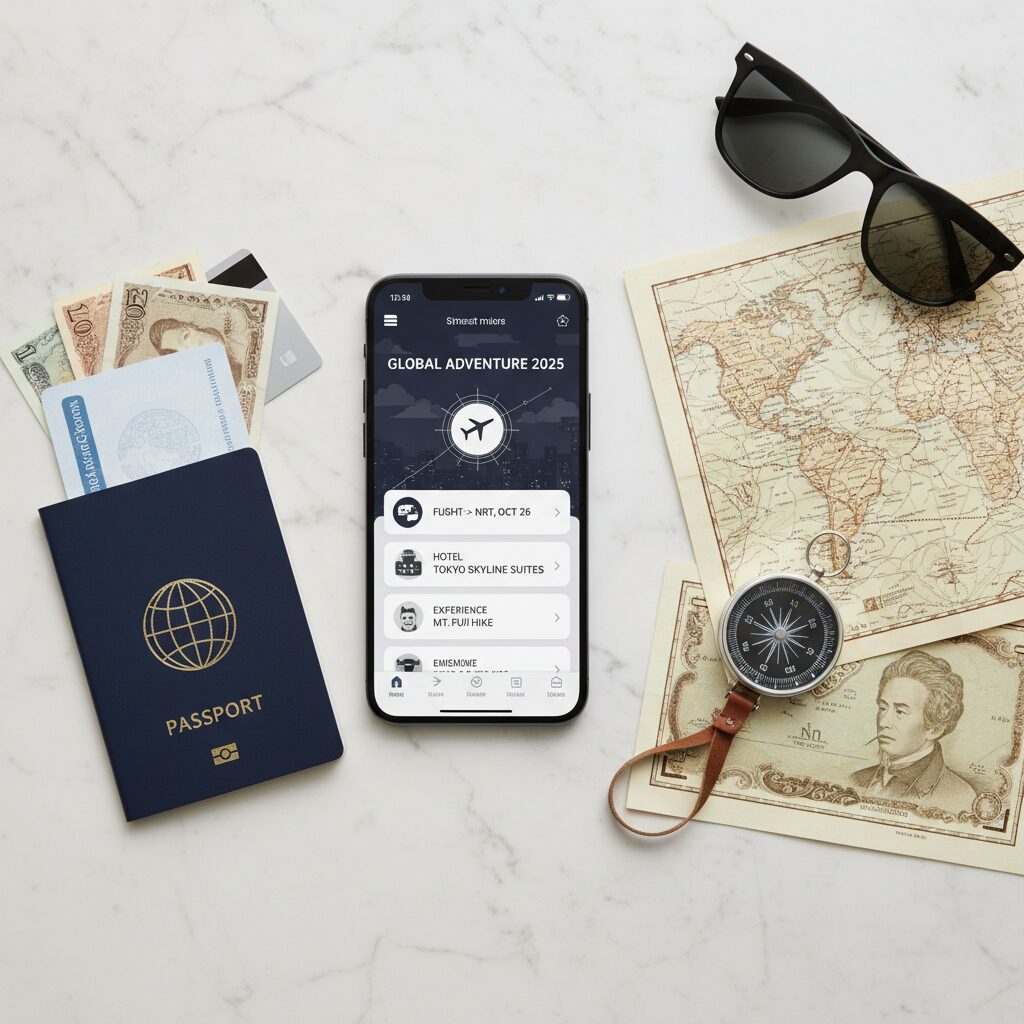
The “All-in-One” Itinerary Managers (The Heavy Lifters)
If you download only one app from this list, make it one of these. These are the command centers that ingest your flight numbers, hotel confirmations, and dinner reservations to create a master timeline.
1. Wanderlog: The Visual Planner
Best For: Road trippers, visual thinkers, and group collaboration.
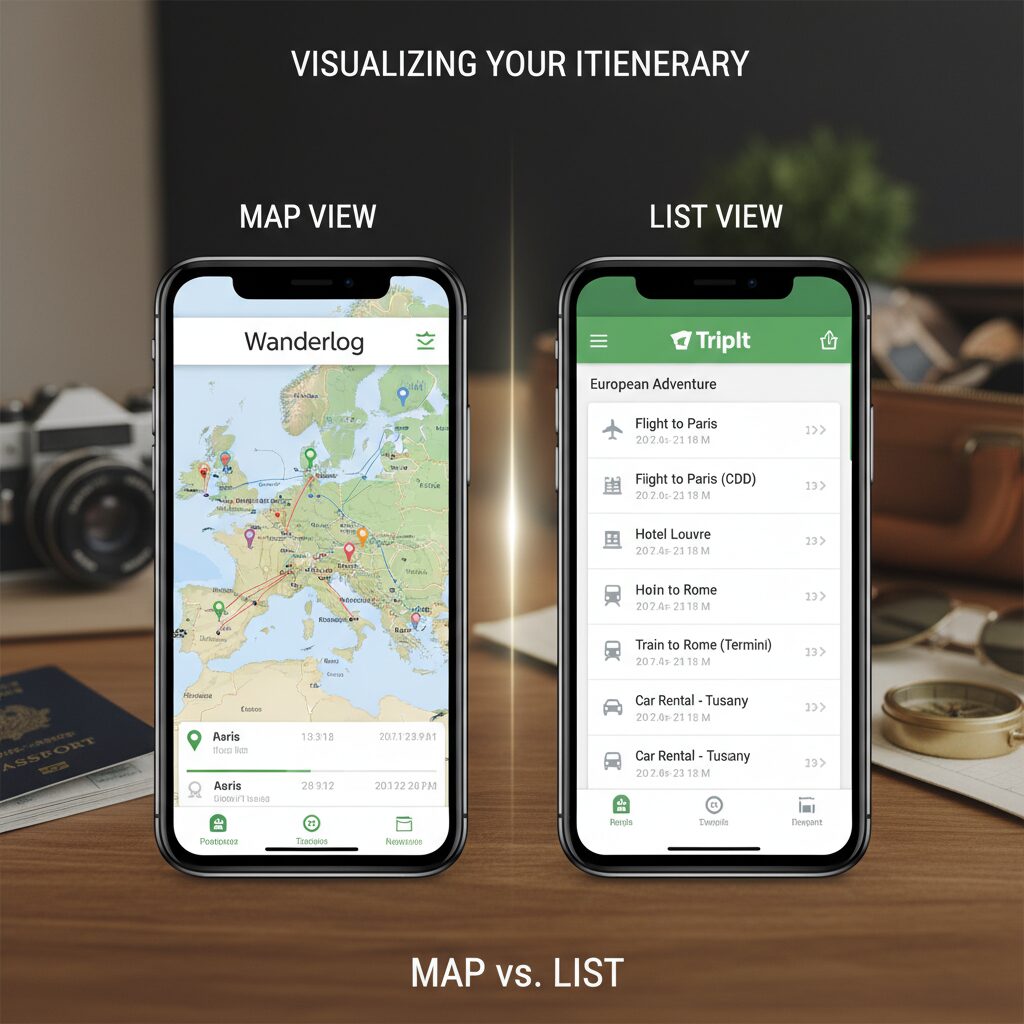
In my opinion, Wanderlog is currently unrivaled for the “dreaming” phase of travel. While older apps rely on text lists, Wanderlog is map-centric. You pin locations, and it automatically calculates the travel time between them.
What makes it essential for 2025 is its collaborative backbone. You can invite friends to the itinerary, allowing everyone to add suggestions in real-time. It feels less like a spreadsheet and more like a shared canvas.
2. TripIt: The Business Standard
Best For: Frequent flyers and travelers who want zero-friction organization.
TripIt has been around for years, but it remains the gold standard for one specific reason: email parsing. You simply forward your confirmation emails (hotel, flight, car rental, OpenTable) to plans@tripit.com, and it builds the itinerary for you.
For the “bleisure” traveler (combining business and leisure), the Pro version provides real-time gate changes often faster than the airlines themselves.
3. Layla: The AI Revolution
Best For: Discovery and conversational planning.
Layla represents the 2025 shift in travel tech. It isn’t just a container for your plans; it’s a generator. Arjan Dijk, CMO at Booking.com, noted in late 2024 that “In 2025, we’ll see people using powerful AI tools… to craft alternative itineraries based on personal preferences.”
Layla utilizes Large Language Models (LLMs) to understand natural language requests like, “Plan a 3-day trip to Lisbon for a couple who loves jazz and hates crowds.” It then outputs a visual itinerary that connects directly to booking platforms.
Best Apps for Group Travel & Budget Splitting
One of the biggest trends identified by Amadeus in their Travel Trends 2025 report is the rise of the “Frolleague”—friends and colleagues traveling together. However, nothing sours a group trip faster than money disputes.
4. Splitwise: The Friendship Saver
I cannot stress this enough: do not travel with friends without this app. Splitwise allows you to log expenses in any currency. Did you pay for the Airbnb while your friend paid for dinner? Log it. At the end of the trip, the app calculates exactly who owes whom, minimizing the number of transactions needed to settle up.
5. Troupe: The Democracy Tool
Planning a group trip usually involves a chaotic WhatsApp group where ideas go to die. Troupe solves this by allowing members to “vote” on dates, destinations, and accommodations before anything is booked. It centralizes the decision-making process, ensuring the “loudest” voice in the room doesn’t automatically win.
Navigation & “Detour” Discovery
Travel in 2025 is shifting away from the main tourist hubs. According to the Expedia Group Unpack ’25 Report, 63% of consumers are likely to visit a “Detour Destination”—a lesser-known locale near a major attraction—on their next trip.
6. Roadtrippers
Google Maps gets you from A to B. Roadtrippers shows you what’s in the middle. This app is designed for the “Detour Destination” trend. You plug in your route, and it highlights oddities, scenic points, and local diners within a set distance of your path. It transforms a 6-hour drive into an adventure.
7. Google Maps (The Offline Strategy)
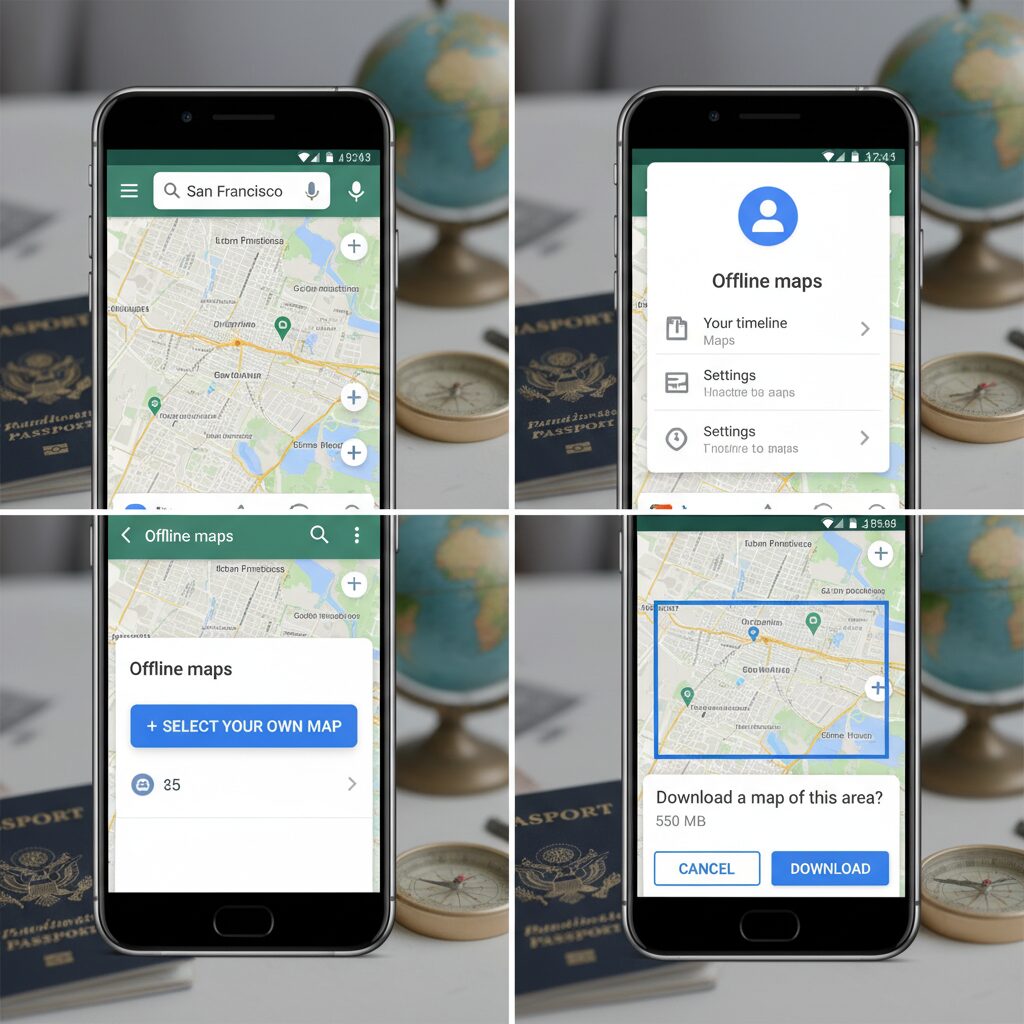
You might think you know Google Maps, but are you using it correctly for international travel? The most critical feature for 2025 is Offline Maps.
How to use it:
- Search for your destination city (e.g., “Kyoto”).
- Swipe left on the bottom menu and tap “Download.”
- Zoom to select the area and save it to your phone.
This allows you to navigate, search for restaurants, and find transit routes without using a single byte of roaming data.
The “Noctourism” & Nature Toolkit
As global temperatures rise, travelers are shifting their habits. Expedia’s 2025 data shows a surge in “Noctourism,” with travelers visiting dark-sky reserves to avoid the daytime heat and see celestial phenomena. In fact, 78% of travelers are considering visiting destinations with limited light pollution.
8. Aurora / Dark Sky Finder
If you are chasing the Northern Lights or just want to see the Milky Way, you need specialized data. These apps provide KP index forecasts (geomagnetic activity) and cloud cover overlays. They are essential tools for the 2025 traveler who prioritizes natural phenomena over city lights.
9. AllTrails
With 7 in 10 travelers wanting active experiences, AllTrails remains the definitive guide for hiking. The “Pro” version allows for offline map printing—a safety imperative if you are venturing into “Detour Destinations” where cell service is non-existent.
Specialized Tools: Logistics & Wellness
10. Flighty
This is for the aviation geek or the anxious traveler. Flighty pulls data directly from aviation authorities, often alerting you to delays or gate changes before the pilot even knows. It provides inbound plane tracking (so you know if your plane has actually arrived) and historical on-time performance data.
11. Timeshifter
Wellness is a major pillar of 2025 travel. Timeshifter uses neuroscience to help you eliminate jet lag. You input your flight plan, and it tells you exactly when to seek light, when to avoid it, and when to drink caffeine. It’s used by astronauts and elite athletes, and in my experience, it’s a game-changer for long-haul flights.

Comparison: Finding Your Tech Match
| App Name | Best For | Works Offline? | Price Model |
|---|---|---|---|
| Wanderlog | Visual Planning & Road Trips | Yes (Pro) | Free / Sub |
| TripIt | Business & Email Sync | Yes | Free / Sub |
| Layla | AI Itinerary Generation | Requires Data | Free |
| Splitwise | Group Expenses | Yes | Free / Sub |
| Flighty | Flight Tracking | No | Free / Sub |
FAQ: Planning Your 2025 Trip Tech Stack
What is the best free travel itinerary app?
For a completely free experience that balances features and usability, Wanderlog is the top choice in 2025. The free version offers unlimited itinerary creation and collaboration. TripIt is excellent, but its best features (real-time alerts) are locked behind a paywall.
Can I use AI to plan my trip for free?
Yes. Layla and the integrated AI in Wanderlog allow you to generate itineraries for free. However, always verify AI suggestions against real-time data like Google Maps, as opening hours can change.
Which travel apps work without data/internet?
For navigation, Google Maps (Offline Mode) and Maps.me are essential. For itinerary management, TripIt stores your confirmation numbers locally on your phone so you can access them without a signal.
How do I share my travel itinerary with a group?
Avoid forwarding emails. Use Wanderlog or TripIt Pro. Both allow you to add “collaborators” or “viewers” to your trip, giving them access to the live itinerary on their own devices.
Final Thoughts: The Smart Traveler’s Approach
Technology should empower your travel, not distract from it. The goal of using these apps isn’t to adhere to a rigid schedule, but to handle the logistics so you can be present in the moment.
In 2025, the best travel app is the one that gives you the confidence to explore a “Detour Destination,” the safety to travel solo, and the organizational power to handle complex group dynamics. My advice? Download your core “stack”—one for itinerary (Wanderlog), one for money (Splitwise), and one for navigation (Google Maps)—and then, as Daniel Batchelor from Amadeus suggests, put the phone away and open your passport.
Safe travels.